MT5 Trade Manager EA: Risk-Sized Orders, Daily Loss Limits and Auto Journaling
How the PipLog expert advisor for MetaTrader 5 sizes orders by risk, enforces a daily loss limit, manages break-even and partials, and syncs your journal.
Most trading mistakes happen in the few seconds around order entry: the lot size calculated in your head, the stop loss you'll "add in a moment", the fourth trade of the day after you promised yourself two. A trade manager EA takes those decisions out of the moment.
This article explains what a trade manager expert advisor does in MetaTrader 5, and walks through the PipLog EA, which combines a risk-based order panel with automatic journaling.
What is a trade manager EA?
A trade manager is an expert advisor that doesn't decide when to trade. You still pick every entry. The EA handles the mechanics around it:
- Calculating the lot size from your risk and stop loss
- Placing the stop loss and take profit with the order
- Moving the stop to break-even, taking partial profits and trailing the stop
- Enforcing limits, such as a maximum daily loss or a maximum number of trades
Because it never opens trades on its own, it's a good fit for discretionary traders who want discipline without automation.
The PipLog EA panel
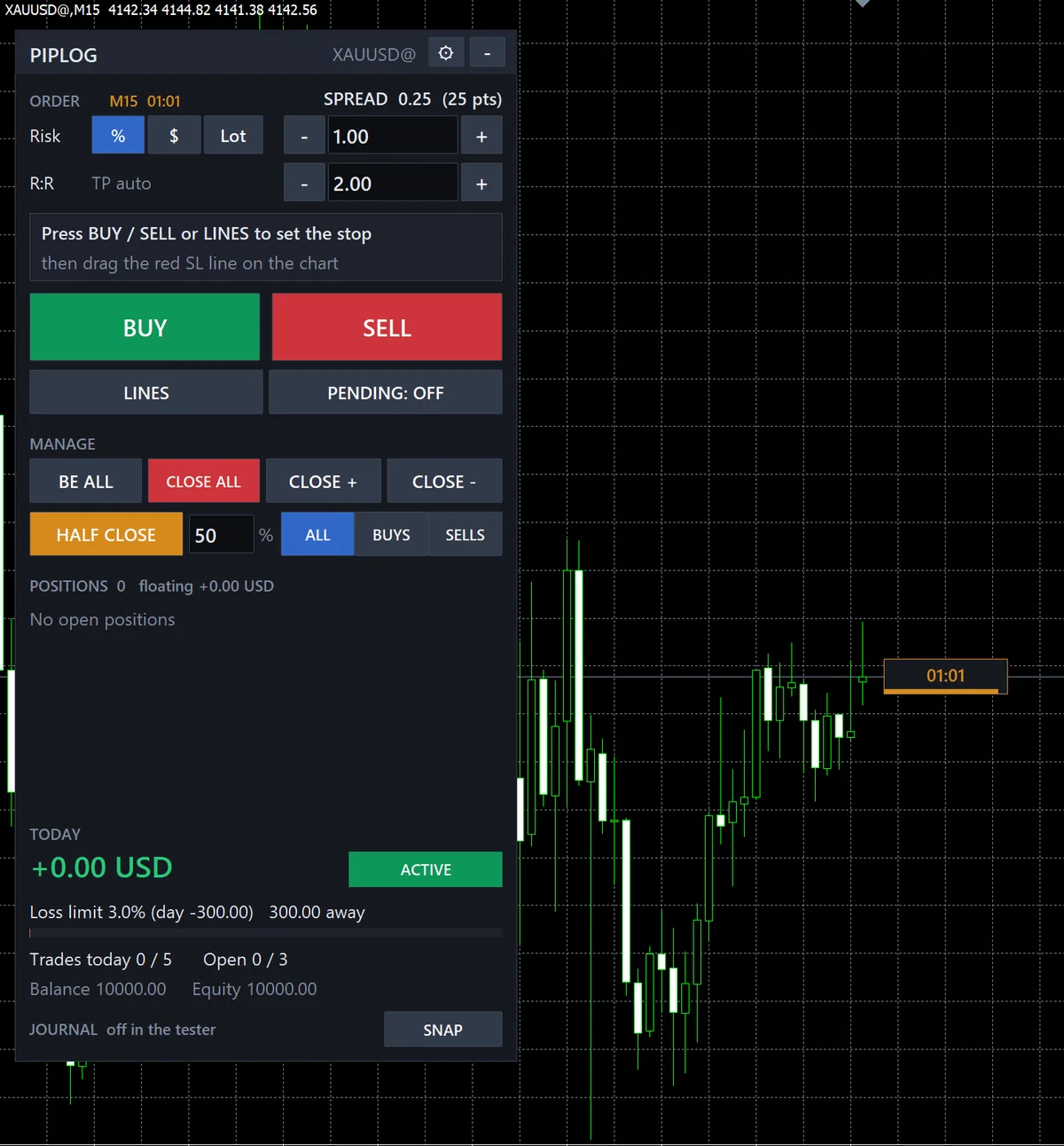
The PipLog EA puts a compact panel on your MT5 chart. From it you can place risk-sized BUY and SELL market orders, pending orders, close all or part of your positions, and move stops to break-even with one click.
Risk-sized orders
Instead of typing a lot size, you set the stop loss and your risk, either as a percentage of the account, a fixed amount of money or a fixed lot. The EA calculates the volume so that, if the stop is hit, you lose the amount you planned. It can count the spread and the commission as part of that risk (it learns your broker's commission from your closed trades), and it places the take profit at a reward-to-risk multiple you choose, 2R by default. That removes the most common sizing error, especially on instruments like gold and indices where pip values differ from forex. See forex position sizing for the maths behind it.
Daily loss limit
Set a maximum daily loss as a percentage of the day's starting balance. Once the day's losses reach it, the EA blocks new panel orders for the rest of the day. This is the single most effective protection against a bad day turning into a blown account, and it maps directly onto prop firm daily loss rules.
Trade caps
Limit the number of trades per day and the number of open positions at once. Overtrading shows up in almost every struggling trader's journal, and a hard cap is far more reliable than willpower.
Automatic management
The manager edition can:
- Move the stop to break-even once price reaches a trigger, with an optional offset to cover costs
- Take up to three partial closes at levels you define
- Trail the stop behind price once the trade is in profit
Triggers can be set in R-multiples or in points, so the same settings work across instruments with different volatility.
Candle timer
A small countdown next to the live candle shows how long until the bar closes. It's handy if your rules say "wait for the candle to close beyond the level".
Automatic journaling
This is where the PipLog EA differs from a typical trade manager. While it runs, it sends your trades to your PipLog journal:
- Every position, open and closed, including the initial stop loss at entry, which statements don't keep once you move the stop
- Chart screenshots at entry and at exit, plus any time you press SNAP on the panel
- History on request — pick a date range on the PipLog import page and the EA uploads those closed positions for you to review and import
Synced trades use the MT5 position id as their ticket. That's the same id the MT5 statement importer uses, so you can mix imports and live sync without duplicates.
Editions
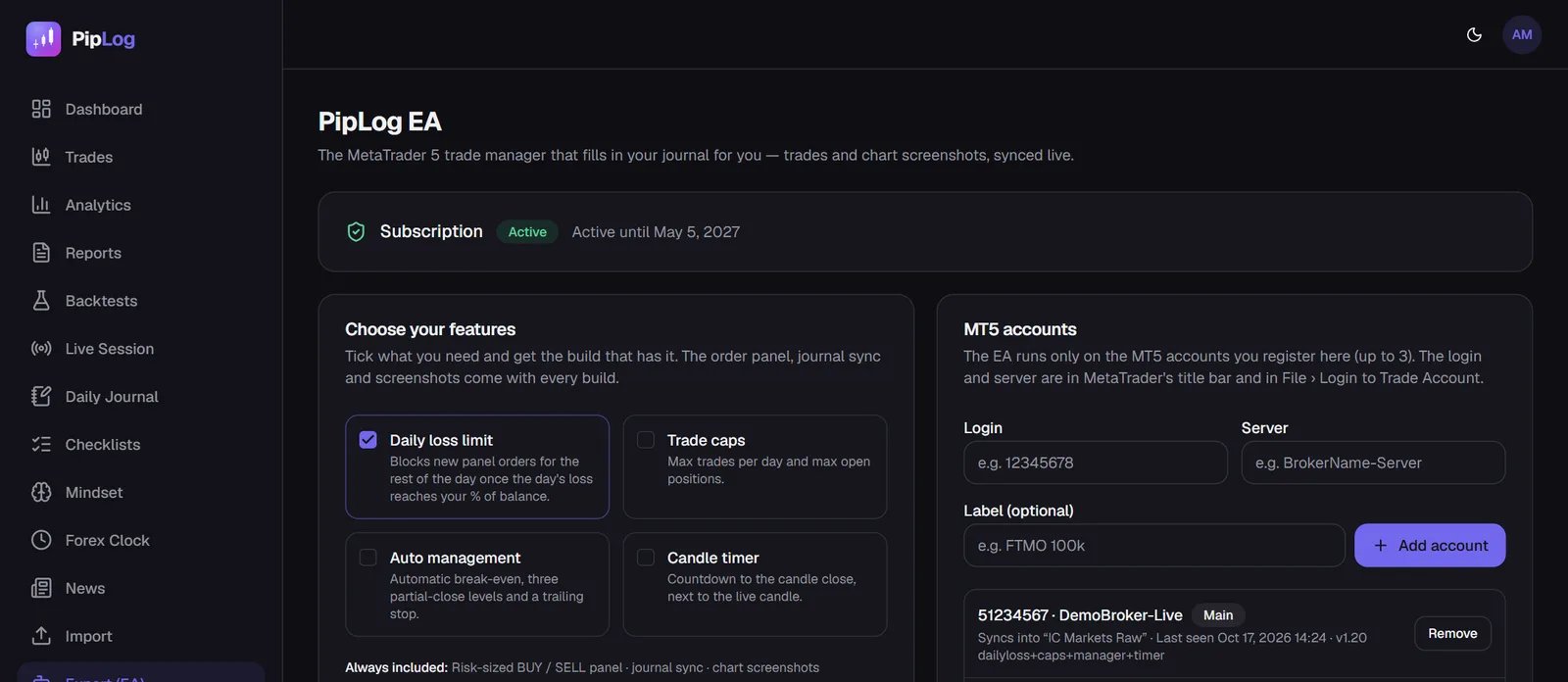
Every build includes the order panel, journal sync and screenshots. The optional features are compiled into separate editions, so you can run only what you need:
| Feature | What it does |
|---|---|
| Daily loss limit | Blocks new panel orders once the day's loss reaches your % of balance |
| Trade caps | Max trades per day and max open positions |
| Auto management | Break-even, three partial-close levels and a trailing stop |
| Candle timer | Countdown to the candle close |
Setting it up
- On the PipLog Expert page, register the MT5 accounts you'll trade on (login and server, up to three). There is no license key to type.
- Download the .ex5 and copy it to MQL5\Experts (in MT5: File › Open Data Folder).
- In MT5, go to Tools › Options › Expert Advisors, tick Allow WebRequest for listed URL and add the PipLog address.
- Drag the EA onto a chart of a registered account and enable Algo Trading.
The EA requires an active PipLog subscription. If the site can't be reached for a while, a valid license keeps working for up to 72 hours. In the Strategy Tester the EA runs without the journal link, so you can test its settings on historical data.
Who should use a trade manager EA?
- Discretionary traders who make sizing or stop-loss mistakes under pressure
- Prop firm traders who must never breach a daily loss limit
- Anyone who overtrades and needs a hard stop rather than a resolution
- Traders who want a journal but don't want to export statements
Journal your MT4 & MT5 trades automatically
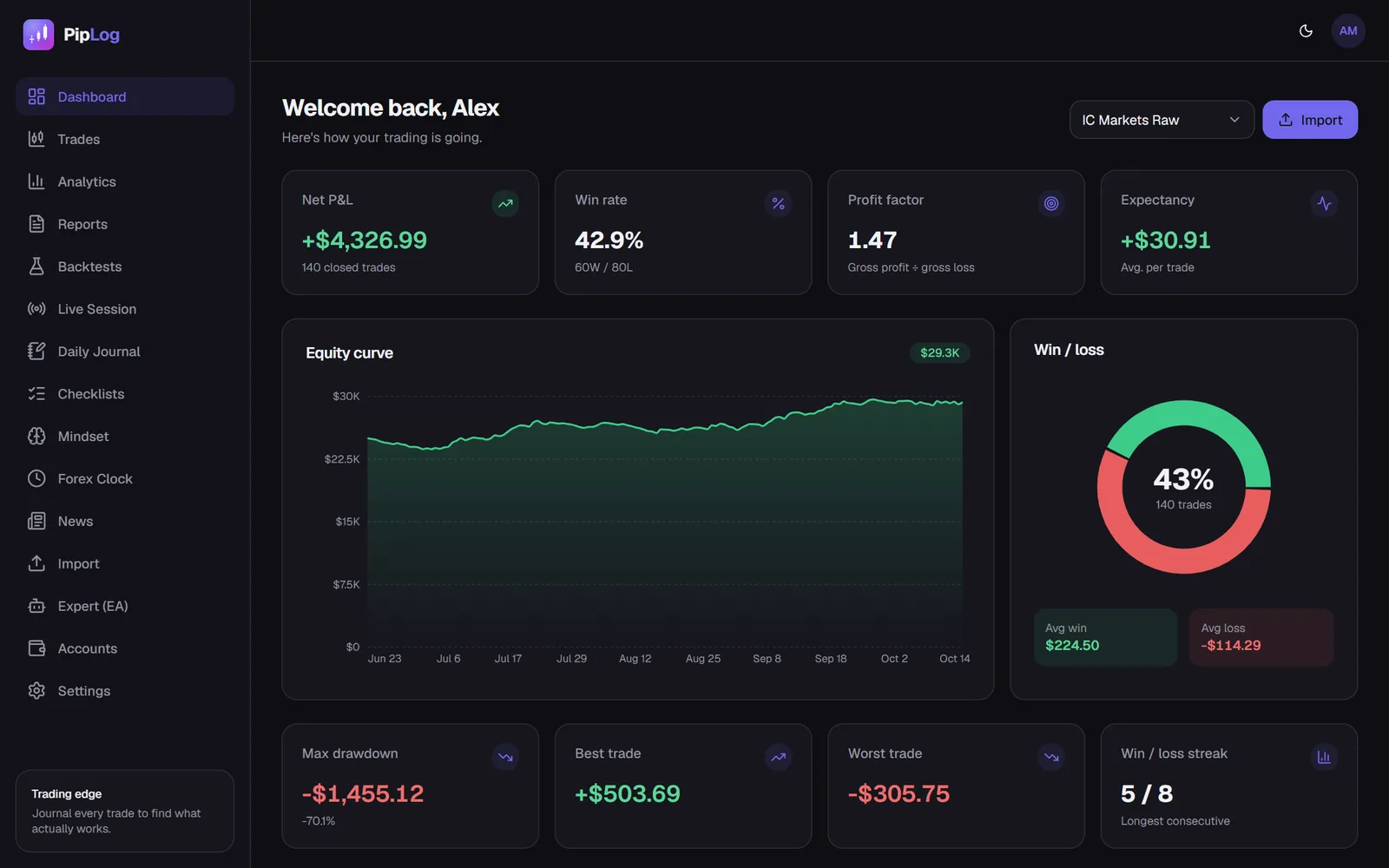
Import a statement or sync live with the PipLog EA. Win rate, profit factor, expectancy and drawdown are calculated for you.
Start your journalSummary
A trade manager EA won't find your entries, but it makes sure every entry is sized correctly, protected by a stop, and recorded. Combined with a journal, it closes the loop between the plan you make on the weekend and the trades you take on Tuesday morning.